FLOWGRES 2.9.10
An overview of the new features, improvements, and fixes introduced in the latest version of Flowgres — from time logging limits to advanced analytics and performance fixes.
New capabilities in the system
Features that enable greater automation, integration with other systems, and precise cost control.
Setting time logging limits
User profiles now support flexible time logging limits, with intervals ranging from daily to yearly. This new feature automatically blocks the logging of additional hours once the set baseline limit is exceeded. It provides better control over project time budgets and prevents errors in the entire team’s time records.
Learn more →New “Task breakdown by status” widget
An advanced widget has been introduced for quickly analysing workloads and identifying project bottlenecks. It allows data to be grouped flexibly, including by department, category, or manager, and the chart format to be adjusted, giving management a clear, complete picture of task statuses. Interactive filters make monitoring progress and spotting potential delays significantly faster and more precise.
Learn more →New "Team settings" tab
A new tab in the time tracking module allows user settings to be managed efficiently from a single, clear view. It also enables quick overtime approval, significantly reducing administrative work and giving managers full control over the entire team’s working time.
Learn more →Automatic updates to task time estimates
An optional feature has been introduced to adjust estimated work time to match the time already worked, enabled through the Gantt chart settings. It prevents discrepancies in schedules by ensuring that planned time is always at least equal to the hours actually logged. This eliminates the need for manual task adjustments, providing greater planning precision and a realistic picture of overall project progress.
Learn more →Improvements to existing modules
Small but meaningful optimisations that make everyday use of the system faster and easier.
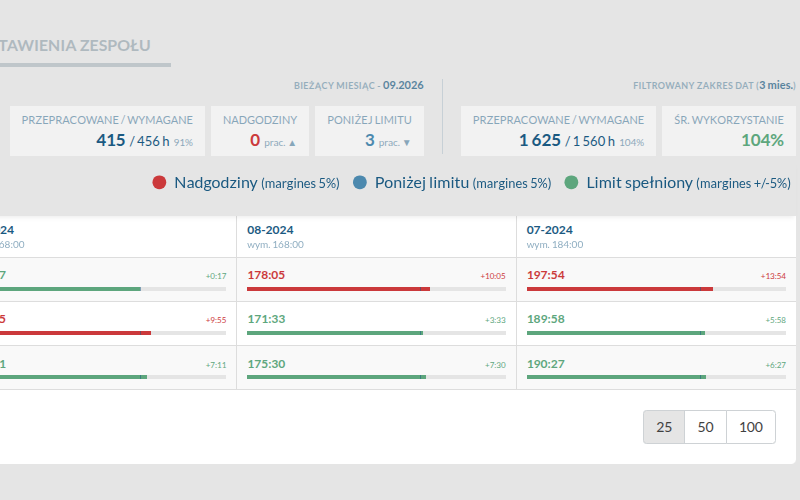
Refreshed interface for the monthly time tracking view
These changes make reports significantly clearer, allowing faster and more convenient analysis of hours worked. The refreshed design makes navigation within the module more intuitive and improves the overall experience of working with the system every day.
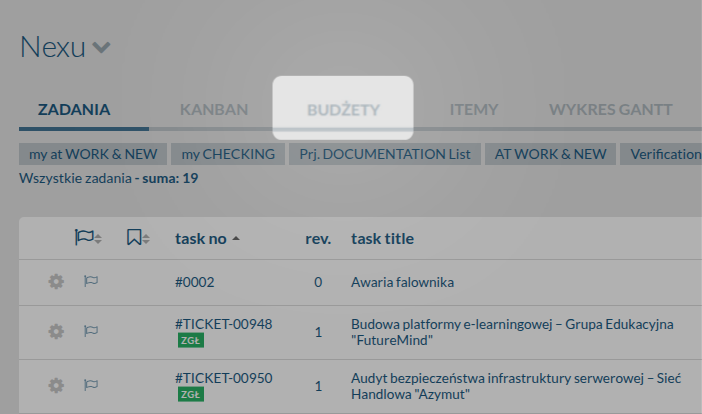
New location for the Budgets tab in projects
The financial tab has been moved to a more intuitive location in the main project view. This provides faster, more convenient access to key data and makes ongoing budget monitoring significantly easier. The new navigation makes managing team profitability clearer and smoother.
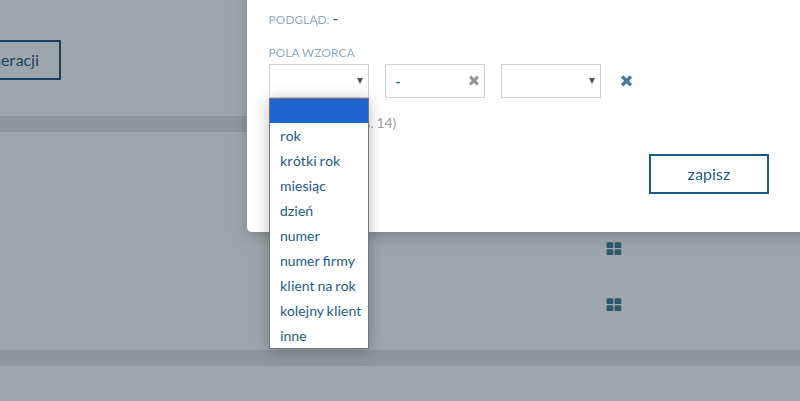
Expanded project auto-numbering settings
New options in the main settings provide greater flexibility in configuring numbering schemes for newly created projects. This allows the company’s internal naming standards to be applied automatically, preventing errors and confusion. It keeps the project portfolio better organised and makes projects much easier for teams to identify later.
Making knowledge base entries visually distinct
Images can now be assigned to individual articles in the WIKI module. This allows company documentation to be organised visually, making it significantly faster for the team to identify and find the information they need. The knowledge base becomes clearer and more intuitive to use every day.

Refreshed quotation list view
A new, clearer layout has been introduced for the quotation list. It makes key business information easier to read and navigation through the sales funnel significantly easier. The refreshed interface makes everyday management of potential projects faster and much more intuitive.
Expanded task search using revision descriptions
Tasks can now be searched directly using the text in their revision descriptions. This makes it possible to instantly find key information and past agreements without manually reviewing individual updates in the system. It saves significant time and provides quick access to the full context of ongoing work.
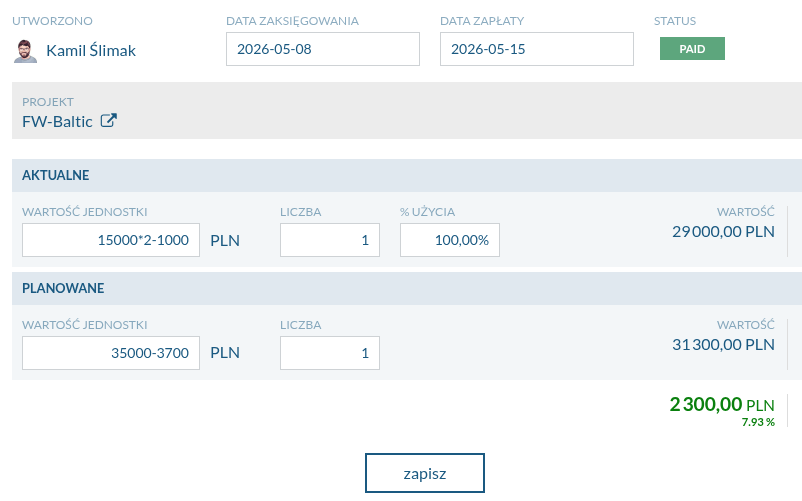
Performing mathematical calculations in value fields
Mathematical expressions can now be entered directly in the "Unit value" and "Quantity" fields in the expense management module. This feature acts as a built-in calculator, allowing amounts and quantities to be calculated instantly without external tools. It significantly speeds up financial data entry and minimises the risk of errors in manual calculations.
Viewing team tasks on the Kanban board
Managers can now display their team members’ tasks directly on their personal Kanban board. New filters make it easy to switch between their own responsibilities and the work of one or more selected team members. This allows progress to be checked more quickly and provides better control over employee workloads without leaving the main workspace.
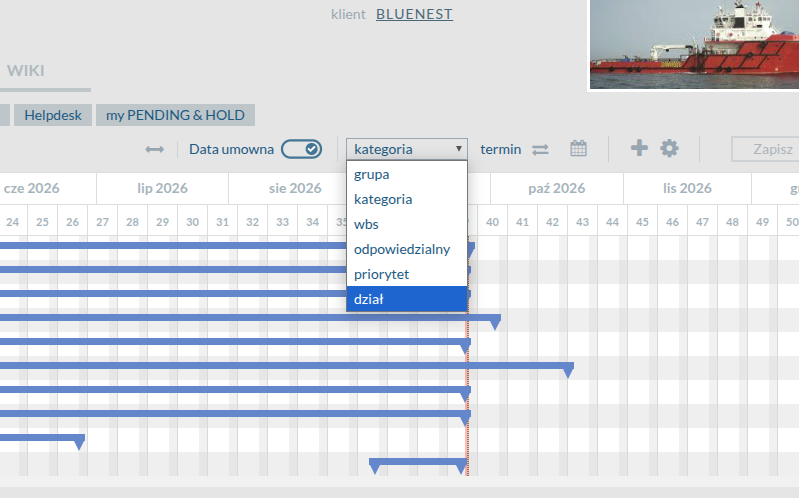
Grouping tasks by department on the Gantt chart
Tasks can now be grouped by their assigned department directly on the project Gantt chart. This makes it possible to quickly analyse the schedule in terms of each team’s involvement. It provides a clearer breakdown of work and makes coordination significantly easier in large projects spanning multiple departments.
Fixes in this release
Resolved issues and bug fixes that improve system stability.
Improved consistency in the project allocation view
A bug causing discrepancies in the displayed week ranges between the main allocation view and task details has been fixed. Full synchronisation ensures that the system displays consistent values throughout, providing reliable information about the duration of work. This prevents analytical errors and improves precision when planning schedules and team workloads.
Want to see these changes in action?
Book a free 30-minute demo and discover how the new version of Flowgres can improve your team’s workflow.
Book a demo →

