
New "Team settings" tab
Use case
This feature significantly improves administrative processes and makes staff management easier. By bringing all key settings together in one view, it gives managers full control over the team’s time records, helping them save valuable time. The ability to approve overtime quickly eliminates unnecessary clicks and the need to open each employee’s profile individually. This makes everyday work across the department more convenient and easier to organise.
Description
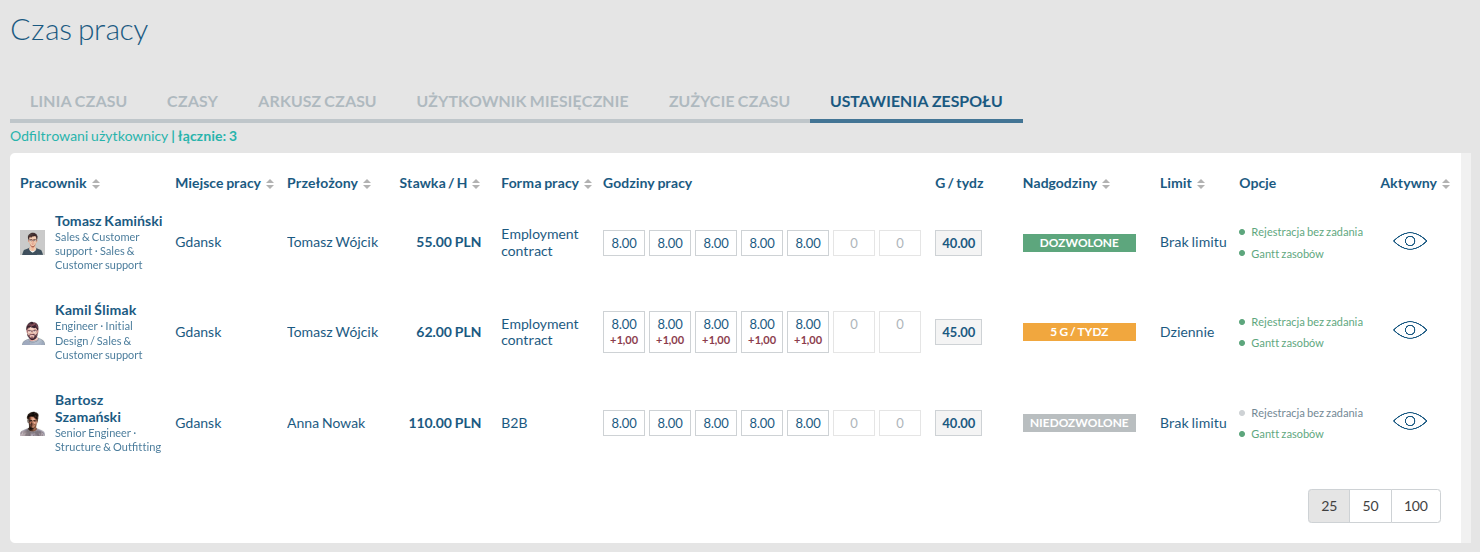
In the main window of the time tracking module, a new tab called Team settings has been added. Clicking it opens a clear view that brings together key information and settings for all employees. From here, users can easily adjust time tracking settings and use dedicated action buttons to instantly grant or revoke overtime approval.
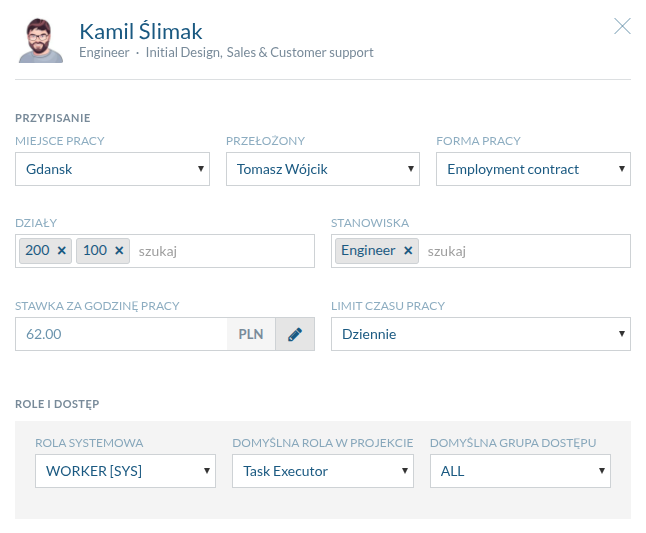
Opening an employee’s details displays a compact form that brings together the most important settings from their full profile. Instead of navigating to the dedicated user module, managers can adjust key information in a single, convenient window.
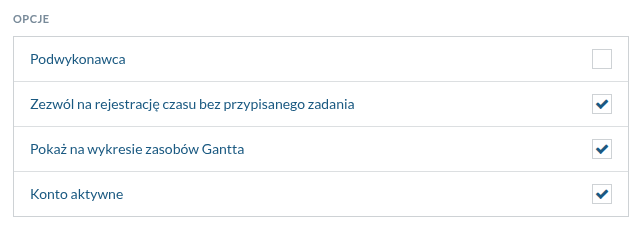
The Options section provides additional settings that can be configured with a single click, such as subcontractor status, permission to log time without a task, visibility on the Gantt chart, and whether the account is active.
A key element is the Overtime approval panel. Its main toggle lets you immediately set the overtime status to Allowed. Once it is enabled, click the plus icon (+) to specify the exact amount of additional work. This enables precise control, allowing you to set the approval period using the Valid from and Valid to date fields. The interface then lets you specify overtime for each day of the week and automatically updates the total below as you enter the hours.
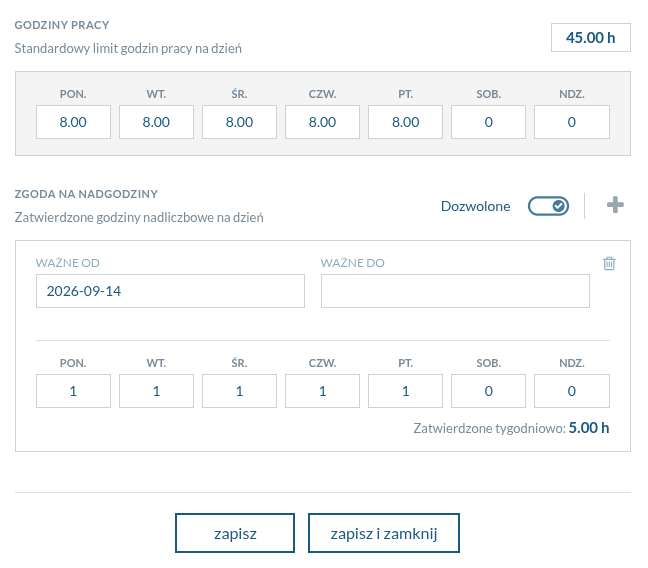
All changes can be confirmed quickly at the bottom of the form using the Save or Save and close buttons.
Explore other new features
Want to see this feature in action?
Book a free 30-minute demo and discover how the new version of Flowgres can improve your team’s workflow.
Book a demo →
