One-off projects under full control — from engineering to delivery
Offshore structures, yachts and marine systems are projects where nothing repeats. Flowgres connects engineering, production and logistics on the same data, so every client change is visible straight away — in the schedule, the budget and the documentation.
Three types of projects,
one way of working
Each of these segments has a different product but the same problem: many teams, a long delivery cycle and a demanding client.
Offshore structures
Platforms, modules and steel structures designed and built for a specific contract.
- Multidisciplinary engineering
- Documentation and revisions
- Coordination with contractors
Yachts and boats
Custom-built vessels where outfitting and finishing change during the project.
- Changes requested by the owner
- Production working time
- Vessel cost control
Marine systems and aquaculture
Equipment and installations delivered to clients worldwide — from design to installation.
- Engineering + production + logistics
- Many teams and locations
- Delivery dates under control
The client changes their mind. The project stays on course.
In one-off projects, changes are the norm. The problem is that information about them reaches production and purchasing too late. In Flowgres, a change moves through the system together with its consequences.
Change request
The client's request goes into the project as a task with a description, attachments and an owner — not as yet another email.
Impact estimate
Engineering estimates the hours and costs, and the project manager sees how the change shifts the schedule and budget.
Client approval
The client approves the scope and cost. The decision stays in the project history, ready for settlement.
New revision and tasks
A new documentation revision is created, and production receives updated tasks — with the right drawing version.
Settlement
Hours spent on the change are logged separately, so you know what it really cost and what to bill the client.
Each department sees its own part — everyone works on the same data
Engineering
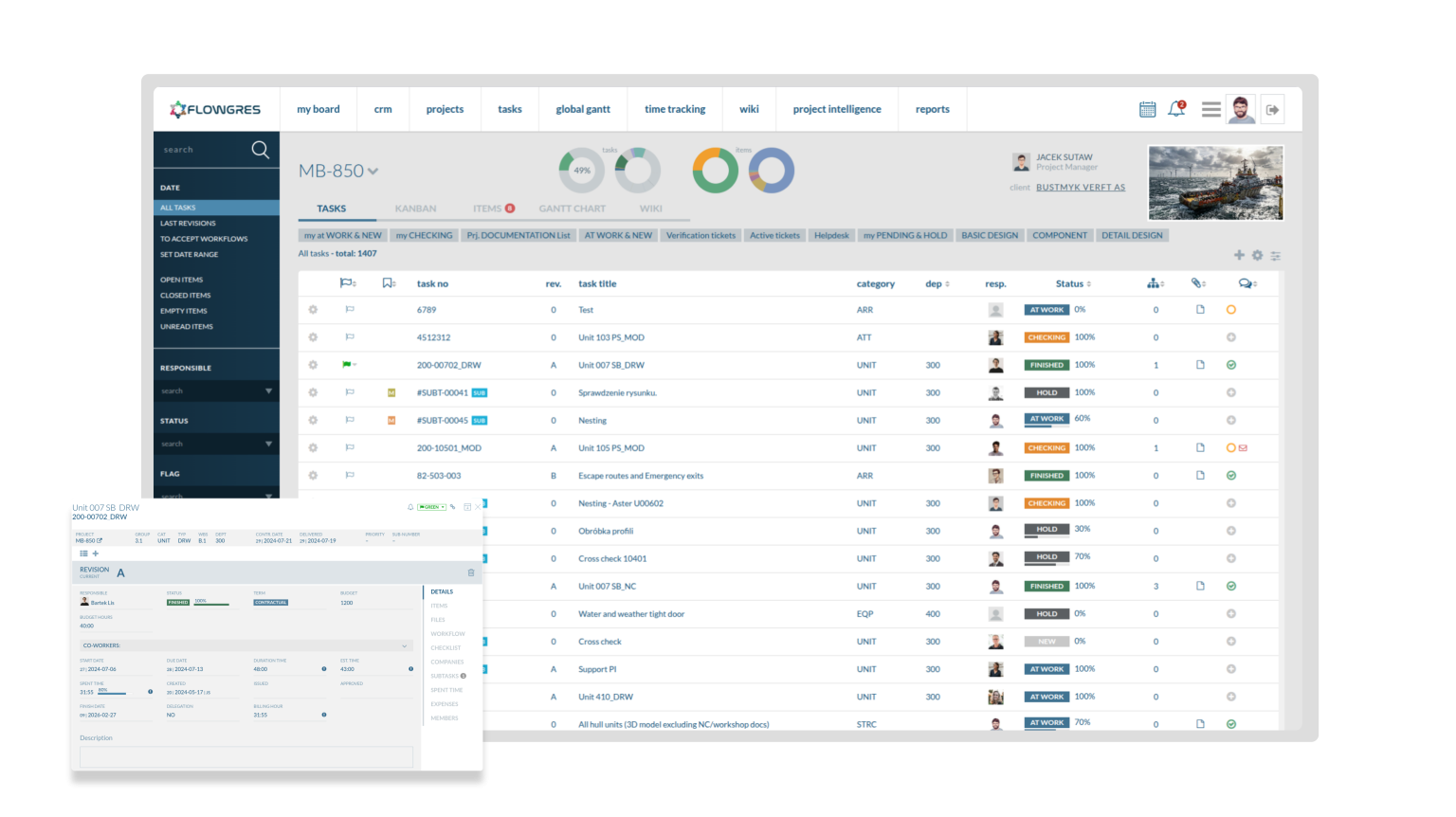
A document register with revisions, owners and approval status. Designers see client remarks right on the relevant drawing.
- Successive revisions with a full change history
- Remarks and approvals in the document thread
- Engineering hours assigned to the project
Production
Production tasks linked to current documentation. Teams log working time, and the manager sees progress and workload without walking the shop floor.
- Tasks with deadlines and dependencies
- Working time logged on the task
- Vessel progress and costs in real time
Logistics and delivery
Delivery milestones, acceptance and handover documents in one place. The client knows what stage their vessel or installation is at.
- Delivery milestones and dates
- Acceptance protocols and final documentation
- Service tickets after handover
Everything a one-off project needs
Flowgres modules work on shared data, so there's no need to connect them or copy information between tools.
Projects and tasks →
Project structure, schedule, dependencies and owners.
Budgets and costs →
Plan vs actual in hours and money.
Time tracking →
Engineering and production hours assigned to tasks.
CRM and quotations →
From client enquiry to contract, with quotation versions.
Communication →
Comments and notifications on tasks and documents.
HelpDesk →
Service and warranty tickets after handover.
Reports →
Profitability and progress of every project in one view.
Integrations →
Including Comarch ERP, Insert and Microsoft Azure.
They work with Flowgres at sea and at the quayside
In our production, Flowgres has proven to be a practical tool for planning work, tracking time and documenting progress. It helps us better control schedules, costs and team efficiency. Flexible and intuitive, and well suited to production realities.

Flowgres lets us control workflows, organize tasks, assign responsibilities and maintain visibility of progress across multiple teams. It helps coordinate engineering, production, logistics and delivery, giving us better control over schedules.

Using Flowgres to manage ship design and offshore construction projects is a key step for us. Full transparency of engineering processes, precise control over schedules and budgets, and improved project communication give us real support in coordinating teams.

Questions we hear most often
Is Flowgres suitable for one-off production?
Yes — every project has its own structure, budget and documentation. The system doesn't assume repeat orders; it's built for work on a specific contract.
Can the client approve changes in the system?
You can share selected information and documents with the client for approval, and decisions are recorded in the project history.
We work in several countries. Is that a problem?
No. Teams in different locations work on the same data through the browser, and the system supports multiple currencies.
Will we keep our accounting system?
Yes. Flowgres exchanges data with ERP systems, including Comarch ERP and Insert. You'll find the details in the Integrations section.
We'll show you Flowgres using your project as an example
The presentation is short, and you'll see the system on data close to your own reality.
Book a presentation →At the meeting
- We'll get to know your processHow a project moves today from enquiry to delivery.
- We'll show you the system liveTasks, changes, budget and documentation in one place.
- We'll propose an implementation planScope, stages and a dedicated account manager on our side.

