A HelpDesk where no ticket gets lost
Flowgres is a ticketing system for IT departments and technical support companies. Tickets with priorities and SLAs, the conversation with the requester in a single thread and — when needed — turning a ticket into a project task.
One HelpDesk, two ways of working
Supporting your own company and supporting clients have different needs. Choose what's closer to you.
Tickets from employees
Every issue goes into one queue with a category, a priority and an owner — instead of phone calls and messenger chats.
Priorities and response times
Critical issues are handled first, and the manager sees which tickets are approaching their limit.
Rollouts as projects
A bigger job — such as a new system or a migration — becomes a project task on a Kanban board.
Team workload
Reports show the number of tickets, categories and handling time, making it easy to justify the department's needs.
Many clients, one queue
Tickets from different companies are linked to their records and contacts. You can see who is reporting and what the issue concerns.
SLA and client statistics
SLA control, response time and ticket count for each client — useful when reviewing the contract.
Billable working time
You log the hours spent on client work in Flowgres, so you know what to invoice and to whom.
Client conversation in the ticket
Comments with the team and the requester in a single thread. The full history stays with the case, not in a mailbox.
Every ticket has its own clock
The priority set on intake determines the time to respond and resolve. Flowgres shows where the case is on that timeline — before the limit is exceeded.
Four pillars of efficient support
Ticket handling from intake to resolution
Log, assign and move tickets through your own stages. Status and activity history are always at hand.
Conversation in the context of the case
Comments with the team and the requester directly in the ticket. Nobody has to search their inbox to reconstruct what was agreed.
A ticket that becomes a project
When a case needs more work, you turn it into a project task. HelpDesk is part of the whole Flowgres system, not a separate tool.
Priorities, SLA and analysis
Classification on intake, priorities and SLA control. After closing, you check response time, categories and the number of tickets per client.
Know how your support performs — in numbers
You can tailor views, fields and reports to what you want to track.
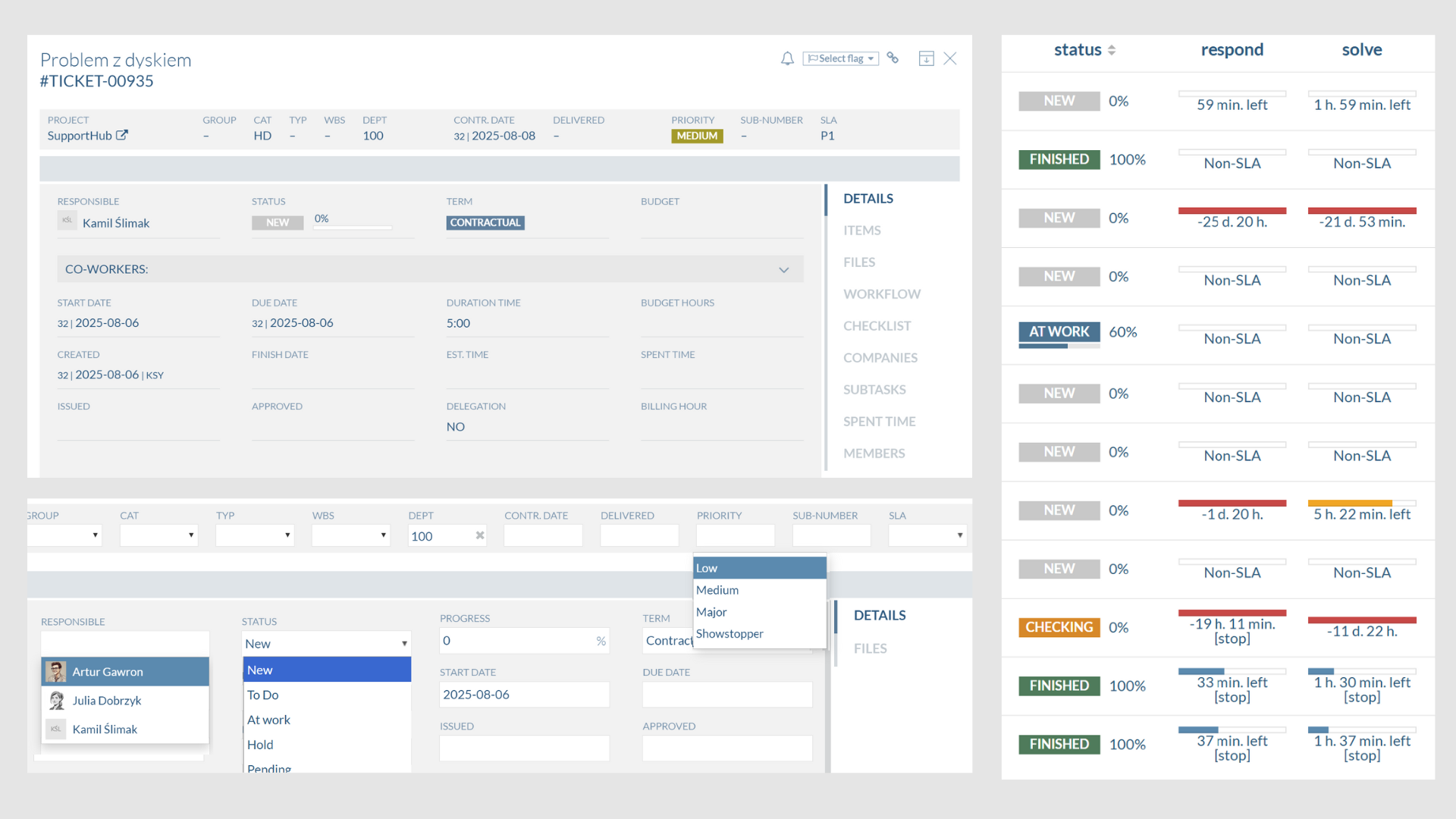
Priorities and response times visible directly in the Flowgres HelpDesk.
HelpDesk module →Sample values — in the system they are calculated from your tickets.
HelpDesk connected with the rest of the company
Tickets use the same data as projects, working time, CRM and reports.
IT teams' most common questions
Have a different one? Ask us during the presentation.
Sign up for a Flowgres HelpDesk presentation
We'll show you the ticket queue, SLAs and reports using your support team as an example.

