


Project budget management
Plan, approve and monitor project budgets in one place. Gain real control over spending and profitability — without digging through spreadsheets and long data hunts.
Everything you need to control project finances
Three pillars that together give a full picture of profitability — from planning, through forecasting, to linking with the team's actual work.
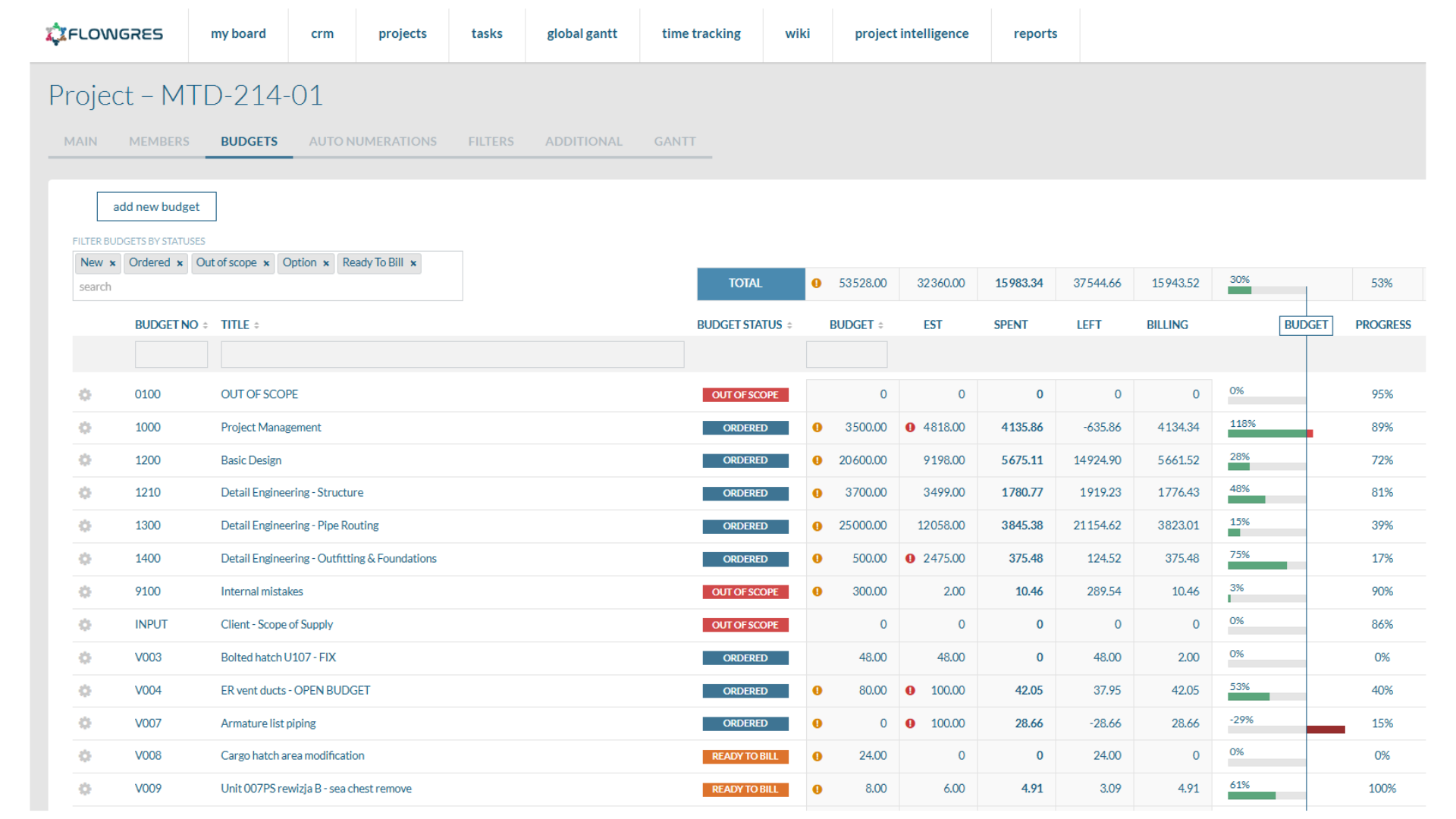
Intuitive budget planning and approval
Easily define and approve budgets at every stage of the project through a clear interface. Monitor changes in real time to control spending and financial risk. You always know what's in progress, what's waiting, and what needs attention.
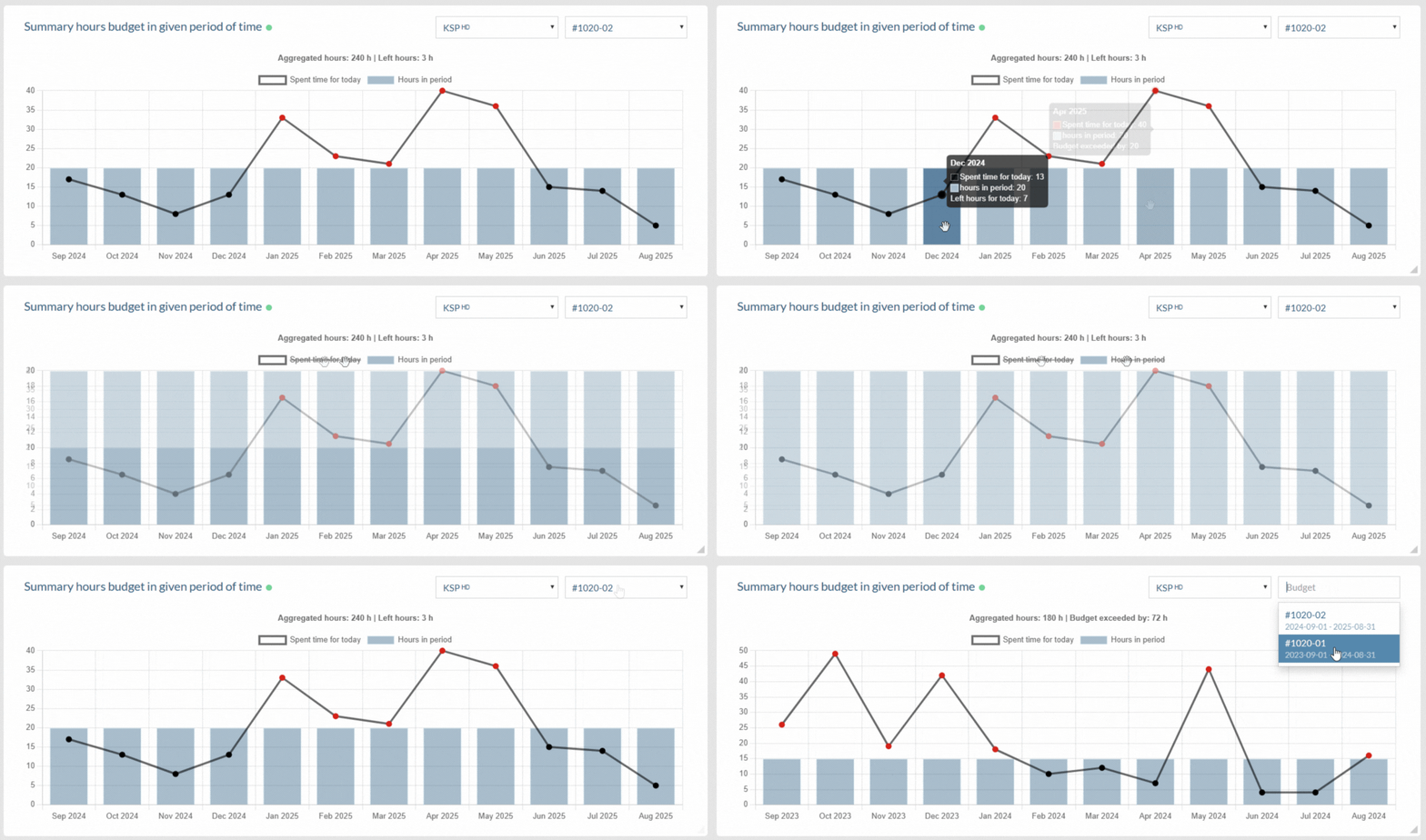
Budget analysis with forecasting
Compare current costs against the planned budget and use forecasts based on historical data and project trends. React quickly to deviations and plan future spending before it becomes a problem.
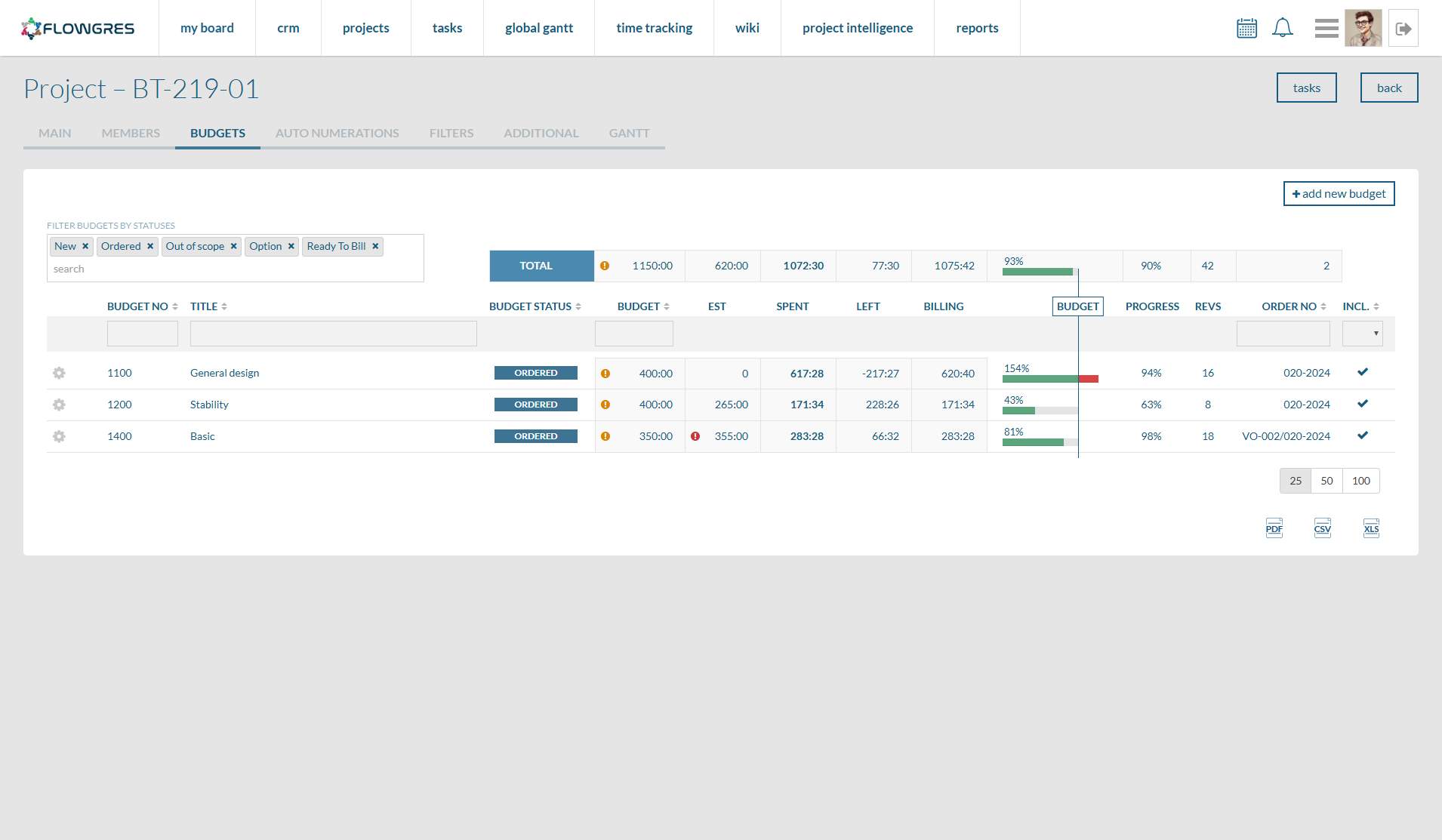
Integrated cost and task management
Link budgets to specific projects and tasks, and use aggregate views that help you identify cost drivers and make financial decisions in real time.
Measurable benefits from Flowgres
Better-planned projects
Clear financial framework from day one, eliminating the risk of underestimation.
Higher profitability
Ongoing control of spending against plan — at every stage.
Fewer surprise costs
Budget linked directly to tasks and project stages.
Easier reporting
One source of data, no more digging through multiple systems and spreadsheets.
Keep finances under full control
Four steps in which a budget stops being a spreadsheet and becomes a living part of the project.
Budget plan
Define the financial framework — costs, stages, limits. Approve and assign it to the project.
Recording expenses
Add costs linked to tasks and see budget consumption in real time.
Spend control
Monitor spending broken down by projects, tasks and teams.
Actual vs plan
Compare planned budget against actuals and export reports for accounting or management.
Flowgres adapts to your needs
Flexible budgets
Freely configure budgets and create your own cost categories tailored to your company's specifics.
Custom metrics
Define custom fields and key financial indicators to precisely measure what matters most.
Full control
Set personalized alerts and grant precise permissions for approving team spending.
Automate your company's processes with Flowgres
Pick a convenient meeting time and see live how Flowgres gives you full control over project budgets.
Book a presentation →