
Setting time logging limits
Use case
This new feature makes it significantly easier to manage project time budgets and automates oversight of the team’s time records. By enforcing strict rules for logging hours, it gives managers confidence in data accuracy and effectively eliminates the risk of human error or deliberate misuse. It provides peace of mind and measurable time savings, freeing managers from the tedious task of manually checking time reports and allowing them to focus on key business goals.
Description
In user profiles, a new section dedicated to time logging limits has been added. Users with administrative permissions can use it to define baseline limits for individual employees.
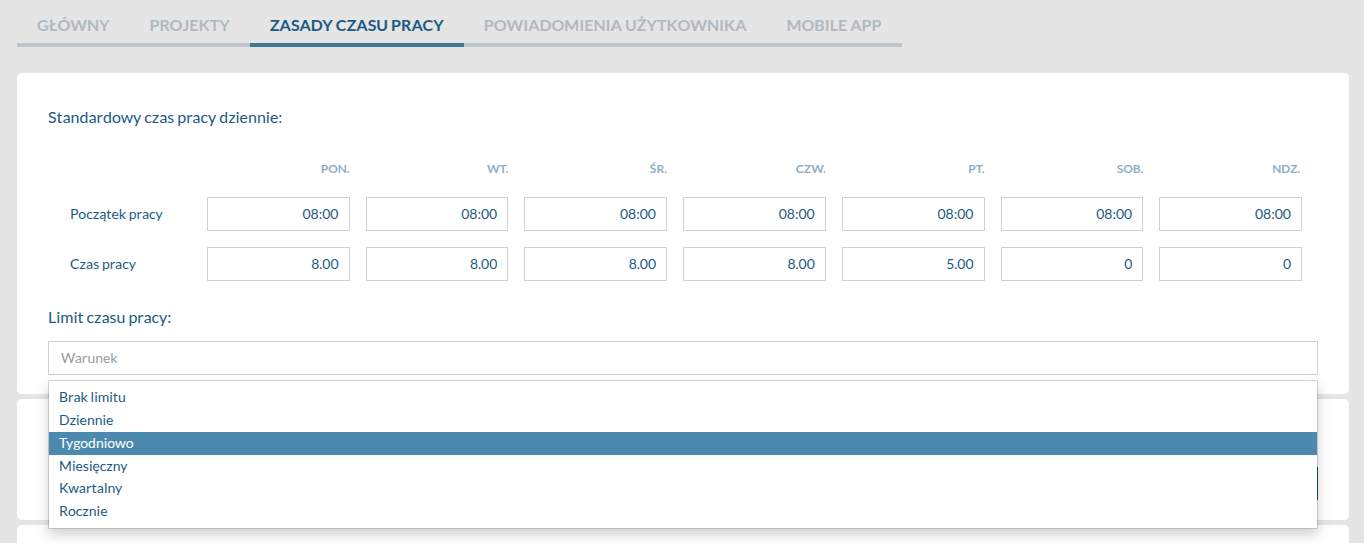
The settings allow users to select the exact time interval from a drop-down list: daily, weekly, monthly, or yearly. From the end user’s perspective, the mechanism runs entirely in the background. If they attempt to add an entry that would exceed their assigned limit, the interface prevents the form from being saved and displays a clear message indicating that the available hours have been used up.
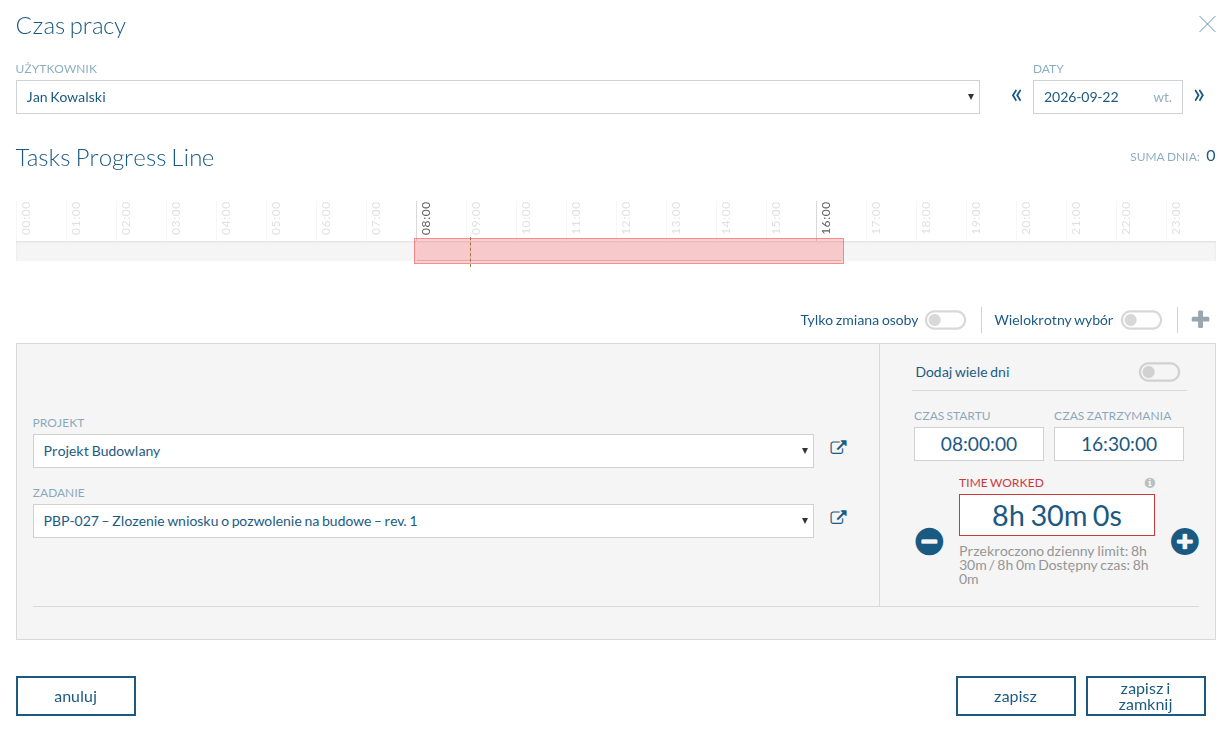
The ability to edit the limits is strictly governed by roles and permissions in the system, protecting the settings from unauthorised changes.
Explore other new features
Want to see this feature in action?
Book a free 30-minute demo and discover how the new version of Flowgres can improve your team’s workflow.
Book a demo →
