
Creating and loading checklist templates
Use case
This feature completely eliminates the need to repeatedly create the same checklists manually from scratch, delivering measurable time savings and greater convenience when assigning and coordinating responsibilities. It provides essential support for standardising business processes, ensuring that no important project step is overlooked and that procedures are always carried out to the same standards.
Description
A new tab for managing checklist templates has been added to the project list.
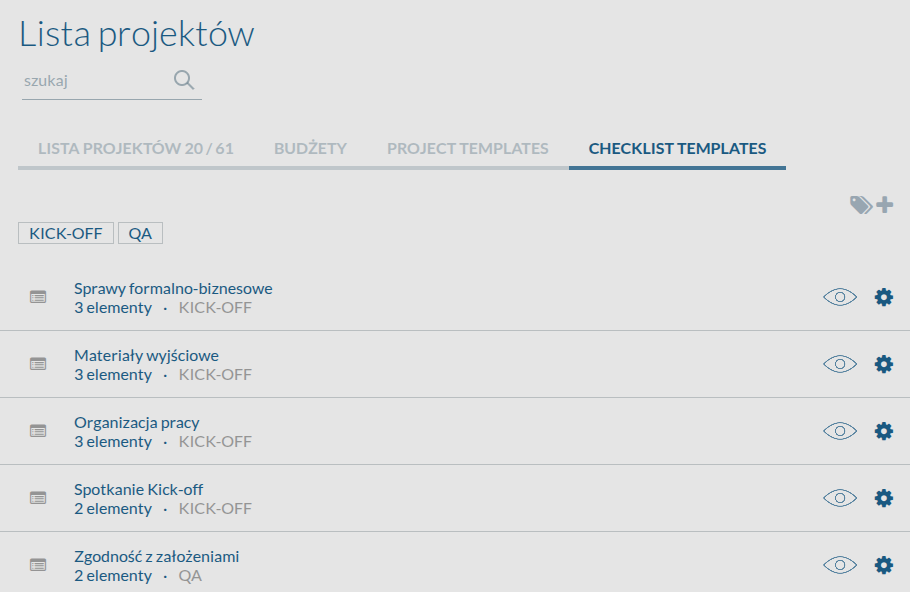
Users with the appropriate permissions can now create checklists as ready-to-use, reusable templates, specifying a name and default items to check. A specific person or job role can also be assigned responsibility for each item.
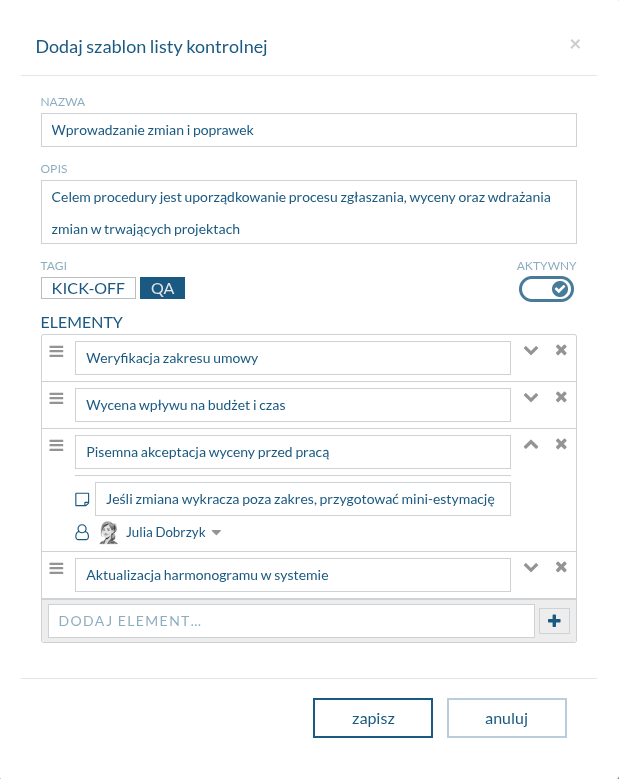
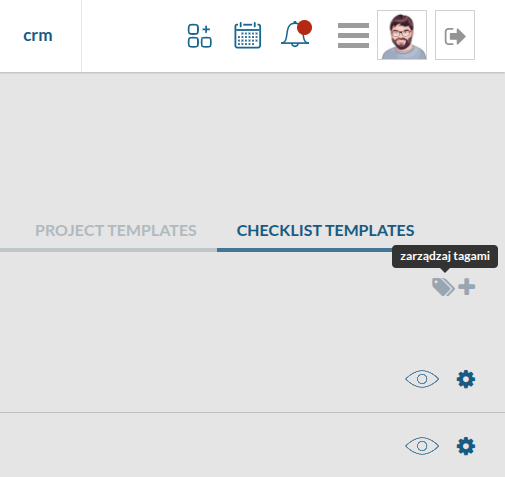
Templates can also be labelled with tags, making them easier to find later.
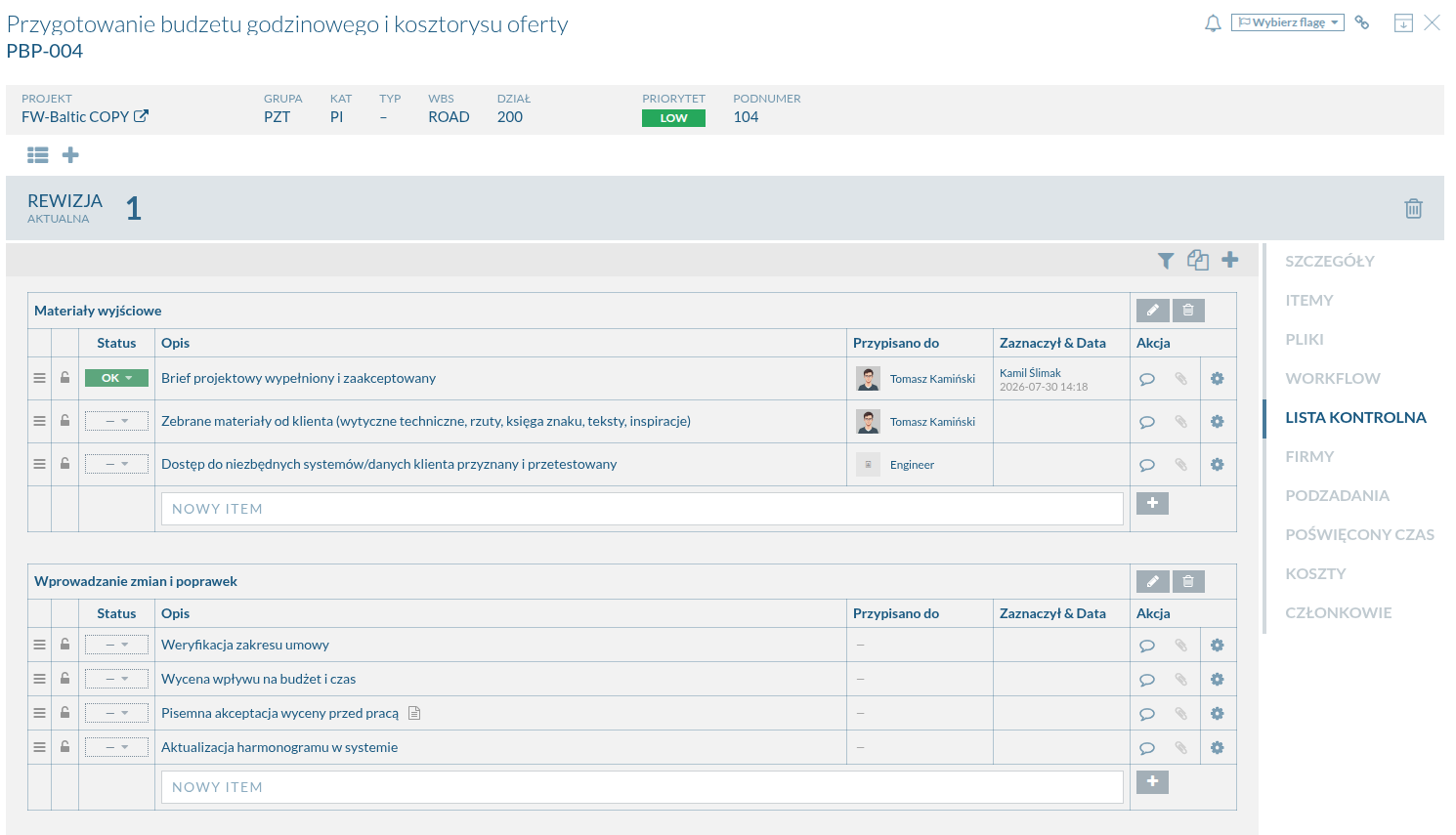
In tasks, the Checklist section now includes an Add from template button. Clicking it opens a list of available, previously defined templates. Once a template is selected, the system instantly imports all items and their structure into the current task revision.
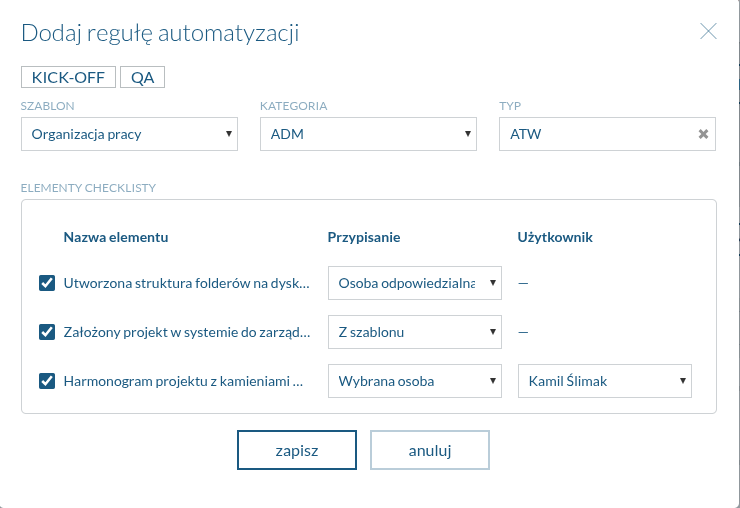
An option to automate checklist creation has also been added to the project settings.
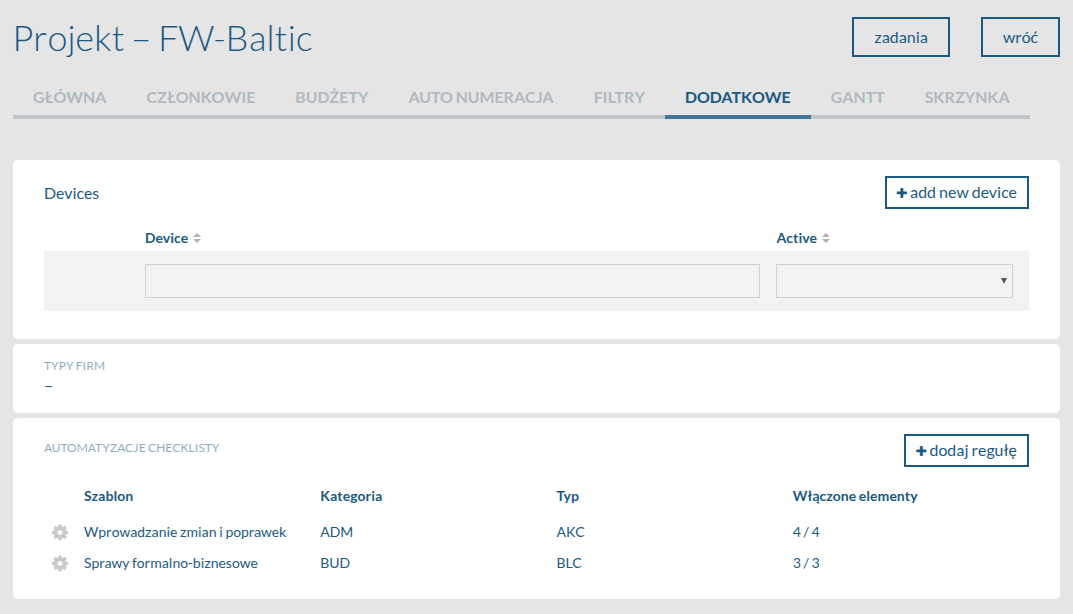
This allows a selected template to be linked to a specific task category and type, so the appropriate checklist is generated automatically as soon as a new task matching these criteria is created.
Access to creating, editing, and loading templates is strictly governed by the permissions assigned to the user’s role in the system.
Explore other new features
Want to see this feature in action?
Book a free 30-minute demo and discover how the new version of Flowgres can improve your team’s workflow.
Book a demo →
