

What is Azure Entra ID?
Azure Entra ID, formerly known as Azure Active Directory, is a cloud-based identity and access management service. It enables you to effectively control access to applications and internal resources, such as Microsoft 365, the Azure portal, SaaS platforms, and cloud-based and on-premises applications.
The biggest advantage of this solution is its ability to integrate with other applications, which allows for fast and secure login to external systems. This article describes the requirements for logging in to Flowgres using Azure Entra ID, the login process, and the settings that can be configured directly in Flowgres.
Signing in to Flowgres with Azure Entra ID
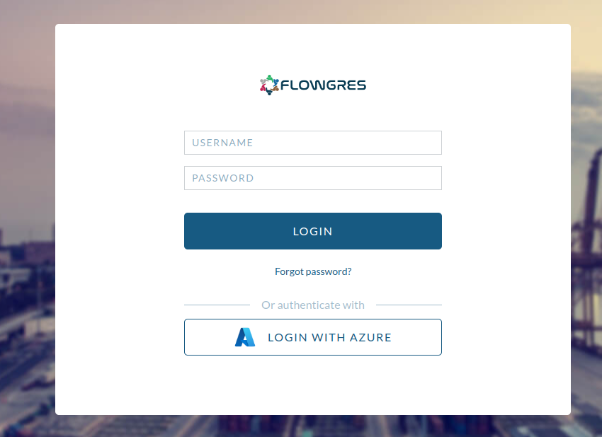
Flowgres offers the option to log in using Azure Entra ID, which makes the process faster and more intuitive. Thanks to integration with this Microsoft service, users can enjoy secure and simplified access to the application. The login process can take place in several ways, depending on the user’s account configuration and system settings.
What is the login process like?
- Start the login process
After navigating to the Flowgres login page , the user can click the “Sign in with Azure” button . This initiates a redirect to the Microsoft Entra ID login system.
- Automatic login
- If the user is already logged in to the Entra ID service in their browser, the system will automatically recognize their identity and immediately redirect them to the Flowgres home page.
- This scenario is particularly convenient for people who regularly use other Microsoft apps, such as Microsoft 365, and are already authenticated within their organization.
- Manual login – two-step authentication
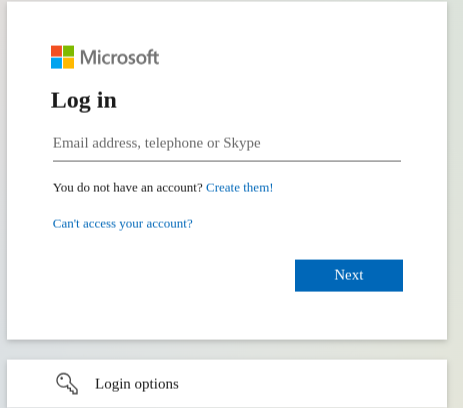
- If the user is not logged in to the Entra ID service, the system will prompt the user to enter their login credentials manually.
- In the first step, the user enters their email address and the password associated with their Entra ID account.
- Next, depending on your security settings, you may be required to provide additional authentication:
- A verification code will be sent to the user’s email address, which must be entered on the login page.
- Alternatively, the user can verify their identity using the Microsoft Authenticator app, which generates one-time security codes.
Requirements for logging in to Flowgres using Azure Entra ID
To sign in to Flowgres using Azure Entra ID, the user account must meet certain requirements:
- The domain of the email address used during the login process must be associated with an existing company in the Flowgres database.
- If this condition is met, a user account may be automatically created in the system or linked to an existing account in Flowgres.
What happens after I log in?
After successful authentication, the user is automatically redirected to the Flowgres app’s home page. This process is not only fast but also ensures full integration of the user’s account with the system.
The visibility of features and the availability of specific elements in the application depend on the administrator’s settings in the integration panel. This allows each user to be assigned appropriate roles and permissions based on their tasks and needs.
Configuring Settings for Accounts with Azure Entra ID
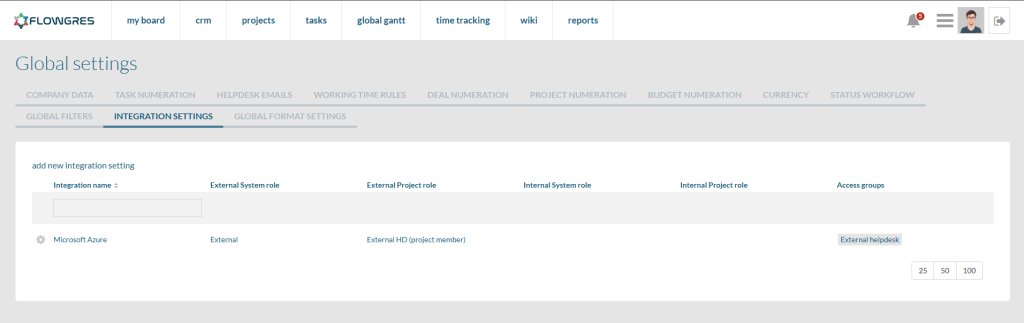
The visibility of features and functionalities in Flowgres for accounts created using Azure Entra ID depends on the settings in the integration panel. An authorized user can configure the following there:
- Default access groups:
- Specify the groups to which new users will be automatically assigned.
- Default system and project roles:
- Assign roles to:
- Internal users (e.g., employees),
- External users (e.g., business partners).
Why should you use the Azure Entra ID integration with Flowgres?
The introduction of Azure Entra ID login significantly improves user convenience and work efficiency:
- Quick Login: A single login button saves time and minimizes the hassle of remembering multiple passwords.
- Enhanced security: Microsoft provides advanced authentication mechanisms.
- Ease of management: Centralized settings allow you to quickly add and manage users.
The introduction of this feature is just the beginning of Flowgres’ integration with external systems. We are committed to ensuring that our solution is not only convenient, but also secure and efficient. The Azure Entra ID login feature is the first step toward even better integration of external applications with Flowgres.

